Keyboard shortcuts
Ctrl/⌘ means Ctrl on Windows and Linux, ⌘ on a Mac. Alt is ⌥ on a Mac.
The same list is in the editor under Help > Keyboard shortcuts.
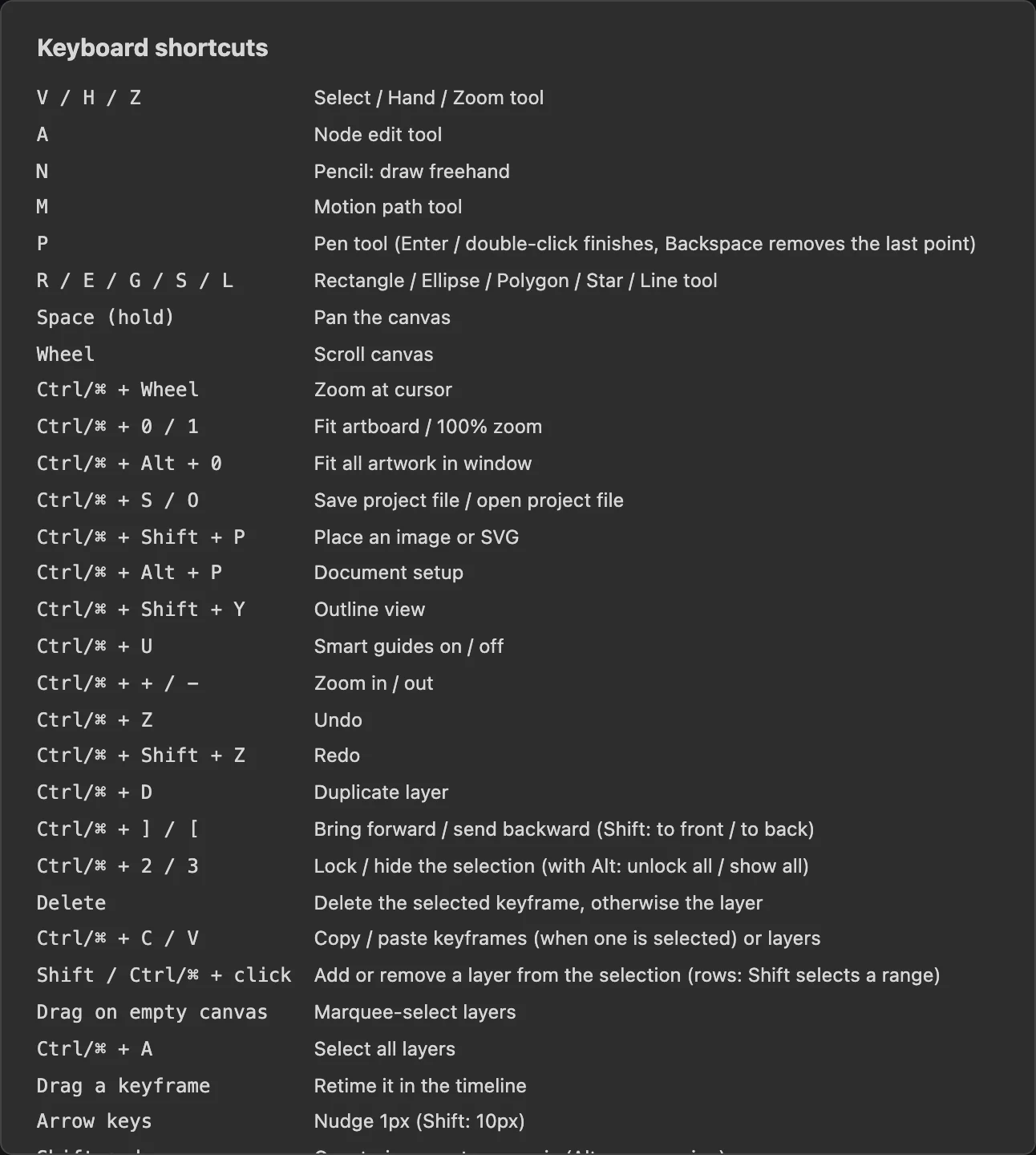
Tools
| Key | Tool |
|---|---|
| V | Select |
| A | Node edit |
| P | Pen. Enter or double-click finishes; Backspace removes the last point |
| N | Pencil |
| R | Rectangle |
| E | Ellipse |
| G | Polygon |
| S | Star |
| L | Line |
| M | Motion path |
| C | Artboard |
| H | Hand |
| Z | Zoom |
| Space (hold) | Pan with any tool |
| X | Swap fill and stroke |
| D | Reset fill and stroke to the defaults |
Files
| Key | Action |
|---|---|
| Ctrl/⌘ + O | Open |
| Ctrl/⌘ + S | Save a project file |
| Ctrl/⌘ + Shift + P | Place a picture or SVG |
| Ctrl/⌘ + Alt + P | Document Setup |
Editing
| Key | Action |
|---|---|
| Ctrl/⌘ + Z | Undo |
| Ctrl/⌘ + Shift + Z | Redo |
| Ctrl/⌘ + C, Ctrl/⌘ + V | Copy and paste: keyframes when one is selected, otherwise layers |
| Ctrl/⌘ + D | Duplicate |
| Ctrl/⌘ + A | Select all layers |
| Delete | Delete the selected keyframe, otherwise the layer |
| Esc | Deselect |
| Shift + click, Ctrl/⌘ + click | Add to or remove from the selection |
| Drag on empty canvas | Select with a marquee |
Moving and arranging
| Key | Action |
|---|---|
| Arrow keys | Nudge 1 px |
| Shift + arrow keys | Nudge 10 px |
| Shift + drag | Keep the move on one axis |
| Alt + drag | Move without snapping |
| Shift + drag a handle | Scale in proportion, or rotate in 15° steps |
| Ctrl/⌘ + ] | Bring forward |
| Ctrl/⌘ + [ | Send backward |
| Ctrl/⌘ + Shift + ] | Bring to front |
| Ctrl/⌘ + Shift + [ | Send to back |
| Ctrl/⌘ + 2 | Lock the selection |
| Ctrl/⌘ + Alt + 2 | Unlock all |
| Ctrl/⌘ + 3 | Hide the selection |
| Ctrl/⌘ + Alt + 3 | Show all |
View
| Key | Action |
|---|---|
| Wheel | Scroll the canvas |
| Ctrl/⌘ + wheel | Zoom at the pointer |
| Ctrl/⌘ + plus, Ctrl/⌘ + minus | Zoom in, zoom out |
| Ctrl/⌘ + 0 | Fit the artboard in the window |
| Ctrl/⌘ + Alt + 0 | Fit all artwork in the window |
| Ctrl/⌘ + 1 | Actual size |
| Ctrl/⌘ + Shift + Y | Outline view |
| Ctrl/⌘ + Shift + D | Transparency grid |
| Ctrl/⌘ + ' | Grid |
| Ctrl/⌘ + U | Smart guides |
Animation
| Key | Action |
|---|---|
| Enter | Play or pause |
| , and . | Previous and next frame |
| Home, End | First and last frame |
| < and > | Previous and next keyframe |
| K | Add a keyframe at the playhead |
| Alt + [ | The layer starts at the playhead |
| Alt + ] | The layer ends at the playhead |
| Drag a keyframe | Move it in time |
| Alt + drag a layer's bar | Slide when the layer is visible |
Notes
- Single-letter shortcuts do not fire while you are typing in a field.
- Some browser shortcuts cannot be taken over by a web page. If a shortcut opens a browser feature instead, use the menu item.